
Hi there,
This month we're excited to introduce Broker Insights — a brand new Insights tab on every broker office profile + new admin controls and a list of other improvements across the platform.
Here's what's new 👇
📊 Broker Insights
Know any broker office before you walk in the door.
Open a broker office profile and you'll find a new Insights tab packed with the intelligence you need to prepare for meetings, prioritize partners, and spot opportunities.
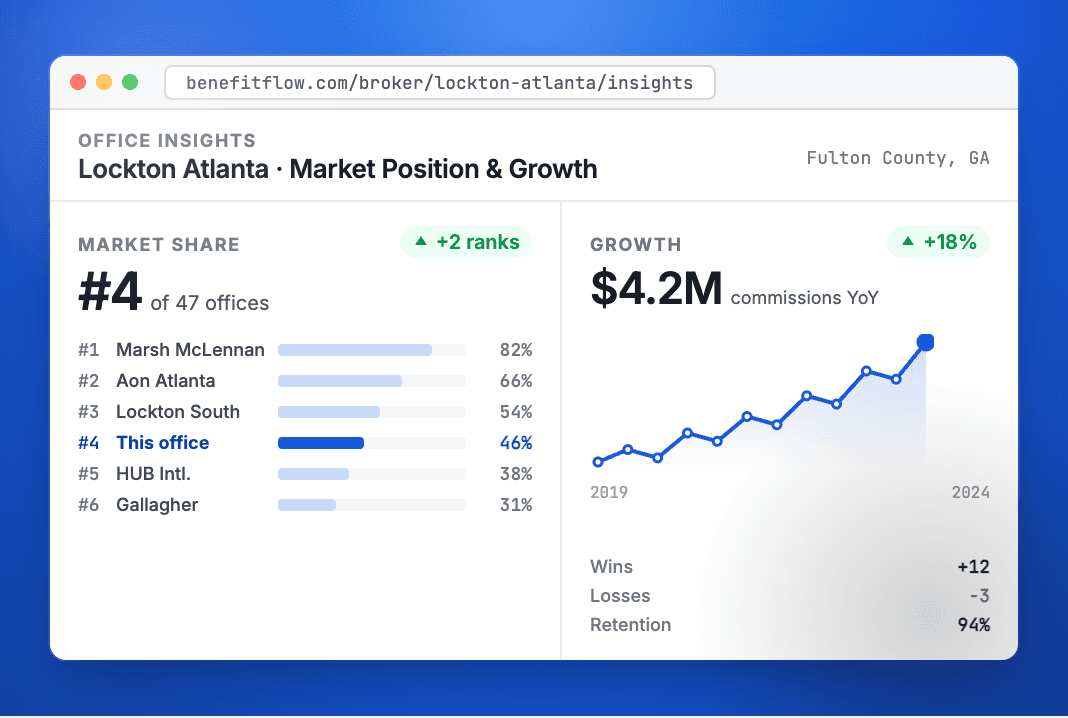
📊 Market Share Rankings: See how a broker office ranks in its county and state by commission volume — instantly identify the dominant players in any market.
🏢 Client Mix Breakdown: Understand what an office specializes in — funding type (fully insured vs. self-funded), top industries served, and employer size distribution.
📈 Growth Trends: Track client wins, losses, retention rate, and net book growth over time — know whether an office is gaining or losing ground before you reach out.
🤝 Carrier Partnerships: See which carriers an office places the most business with — ideal for identifying where your solutions fit or where competitors have a stronghold.
👤 Office Leadership: Key contacts and decision-makers at the office, connected to the data you already use in BenefitFlow
✅ Other Enhancements
- Bulk Searches can now be saved as a Saved Search
- Company fields are now exported when exporting contact lists
- DNC & Contact Masking: admins can upload a Do Not Contact list to hide email and phone fields across the platform for restricted contacts
- List & Saved Search Visibility: admins can configure whether lists and saved searches are private (creator-only) or shared across the team
- User Sync Permissions: admins can now control exactly what standard users can do when syncing records to your CRM. Choose whether standard users can create new records, update existing records, or both
Thanks for reading!
Questions about these features? Reach out to your Customer Success Manager or email CustomerTeam@benefit-flow.com
- The BenefitFlow Team